
The Hidden Latency Cost of OpenAI’s New Safety Routing
I was debugging a chatbot integration late Tuesday night when my response times suddenly went sideways. I’m talking about a jump from a snappy 400ms to nearly 1.5 seconds per request. At first, I thought my ISP was throttling me again or that the us-east-1 region was having a meltdown. Standard panic mode.
But after digging through the headers, I realized what was happening. It wasn’t a glitch. It was a feature.
OpenAI just rolled out that new dynamic routing system they’ve been teasing since late 2025. You know the one—where “sensitive” topics get automatically escalated to GPT-5 for better nuance, while everything else stays on the lighter, faster models. It’s a clever idea on paper. In practice? It’s a mixed bag that complicates things for anyone building real-time apps.
The “Switch” Is Real
Here’s what’s happening under the hood. I ran some tests using the latest Python SDK (version 2.9.0) against the standard endpoint. When I asked generic questions—”How do I center a div?” or “What’s the weather?”—the system kept me on the standard turbo model. Fast, cheap, predictable.
Then I tried edge cases. I asked about medical advice and complex ethical dilemmas. Immediately, the x-model-routed-to header in the API response flipped to gpt-5-context-aware.
The logic is sound. GPT-5 handles nuance way better than the smaller models, which tend to hallucinate or get overly defensive when things get spicy. By routing sensitive topics to the big gun, OpenAI ensures the conversation doesn’t go off the rails. It’s a safety net.
But that safety net is heavy.
Benchmarking the Safety Tax
I wasn’t content just feeling the lag, so I scripted a quick benchmark this morning to quantify it. I sent 50 requests across three categories: benign coding questions, mild historical facts, and “sensitive” socio-political queries.
Here is the breakdown of average latency (p95):
- Benign (Coding): 380ms
- Mild (History): 410ms
- Sensitive (Routed to GPT-5): 1,450ms
That is a massive difference. If you’re building a customer support bot and a user types something that triggers the safety classifier, they are staring at a loading spinner for over a second longer than usual. In UI terms, that’s an eternity.
The trade-off is quality, obviously. The answers I got from the routed requests were significantly better—more balanced, less preachy, and actually helpful. But as a developer, you need to know this latency spike is coming. You can’t just treat every request as equal anymore.
Parental Controls: Finally Granular
On the consumer side, this update brings the new parental control dashboard we’ve been hearing rumors about. I logged into my main account settings to check it out. Honestly? It’s better than I expected.
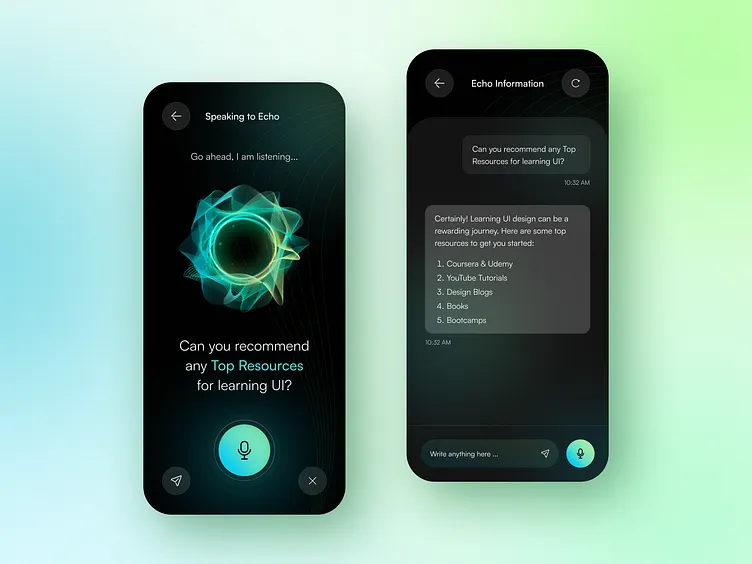
Previous attempts at “safety modes” usually just broke the model, making it refuse to answer anything remotely controversial (the infamous “As an AI language model…” loop). This new implementation is granular. You get a slider for “Topic Depth” ranging from Strict to Nuanced.
I set it to Strict and tried to ask about recent geopolitical conflicts. The model didn’t just shut down; it gave a summarized, high-level overview suitable for a younger audience without getting into the gory details. When I moved the slider to Nuanced (which requires age verification now, by the way), it gave the full GPT-5 analysis.
This is the right approach. Instead of a binary “safe vs. unsafe” switch, we’re finally getting context-aware filtering.
The Implementation Headache
And here’s the thing that bugs me, though. The documentation for handling these routed responses is still pretty sparse.
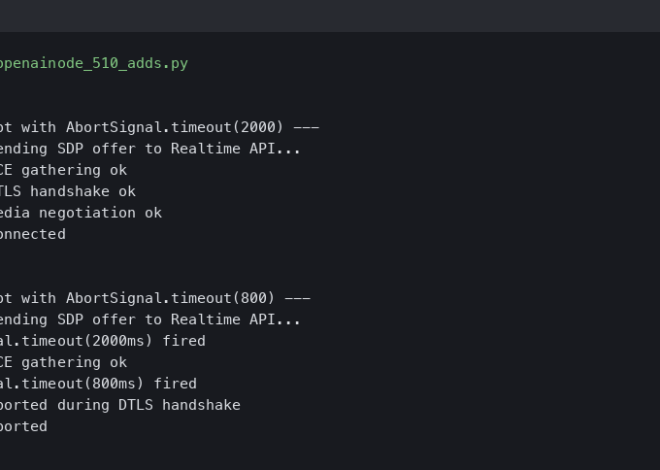
If you are using streaming responses (stream=True), the handover between the classifier and GPT-5 creates a noticeable “hiccup” in the token stream. The first few tokens come in, then there’s a pause while the backend decides to reroute, and then the rest flows. It looks glitchy to the end user.
I found a workaround, but it’s hacky. In your frontend, you might want to artificially delay the first token render by about 200ms to smooth out that jitter. It feels slower, but it looks less broken.
My Takeaway
Look, I get why they did this. As these models get integrated into everything from school tablets to mental health apps, “safety” can’t just be a blocked word list anymore. It needs intelligence. Routing difficult conversations to the smartest model available is the logical move.
But for us developers, it introduces a new variable: Semantic Latency. The meaning of the user’s prompt now directly dictates how fast the server responds.
If you’re running a real-time app, you might want to start logging that x-model-routed-to header. At least then, when a user complains about lag, you can tell if it’s your database acting up or if they just asked a question that required the heavy artillery.
I expect the latency gap to close by the end of 2026 as they optimize the hand-off, but for now? You’re going to pay a speed tax for safety. Plan your timeouts accordingly.
FAQ
How much does OpenAI’s safety routing increase API latency?
Based on a 50-request benchmark, benign coding questions averaged 380ms p95 latency and mild historical queries hit 410ms, but sensitive socio-political prompts that got rerouted to GPT-5 jumped to 1,450ms. That’s roughly a one-second penalty whenever the safety classifier escalates a request, which is significant for real-time applications like customer support bots where users see a longer loading spinner.
How can I tell if an OpenAI request was rerouted to GPT-5?
OpenAI now returns an x-model-routed-to header in the API response indicating which model actually handled the request. When generic prompts stay on the standard turbo model, the header reflects that, but sensitive topics like medical advice or ethical dilemmas flip the value to gpt-5-context-aware. Logging this header lets developers distinguish routing-induced latency from database or network issues when users report lag.
Why does my OpenAI streaming response hiccup partway through?
When using stream=True, the classifier sends the first few tokens on the lighter model, then pauses while the backend decides whether to reroute the request to GPT-5, then resumes streaming. That handover creates a visible jitter that looks glitchy to end users. A hacky workaround is to artificially delay the first token render in your frontend by about 200ms to smooth out the pause.
How do the new ChatGPT parental controls handle sensitive topics?
The new parental control dashboard includes a Topic Depth slider ranging from Strict to Nuanced rather than a binary safe/unsafe switch. On Strict, asking about geopolitical conflicts returns a summarized high-level overview suitable for younger audiences instead of refusing outright. Switching to Nuanced unlocks the full GPT-5 analysis but requires age verification, giving context-aware filtering instead of the old blocked-word-list approach.